
1. Locate the Existing License File
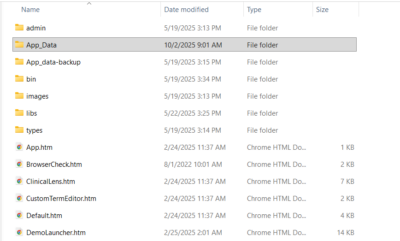
The existing Medcin license file is stored in the Quippe Data folder, commonly referred to as Quippe/App_data.
Inside the App_data folder, you will find the MEDCIN directory.
2. Replace the License FileReplace the medcin.lic file in the following location:
<Quippe installed folder>/App_data/MEDCIN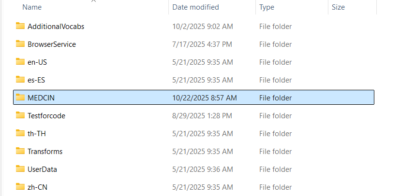
3. Restart the Quippe Web Service
After replacing the license file, restart the Quippe service based on your operating system.
- Windows
Restart the Quippe site in IIS. - Linux
- If Quippe is managed by systemd, run:
sudo systemctl restart quippe-aspnethost - If Quippe is managed by supervisord, run:
sudo supervisorctl restart all
- If Quippe is managed by systemd, run:
For more information, please refer to the official Medicomp Help documentation: https://help.medicomp.asia/#/medcin/general/general-information.html#medcin-license-file
*This document is intended for APUK customers only.